Overview
A fast-growing residential construction company managing five related entities needed a better way to handle
multi-entity accounting, job costing and
financial reporting. Operating across retail construction, insurance restoration, rental properties and intercompany services, the company relied on tools like
ServiceTitan to manage operations. However, its accounting system – built on separate QuickBooks Desktop files – could not keep up with growth. To solve this, the company partnered with Fourlane to execute a
QuickBooks Desktop Enterprise migration to
Intuit Enterprise Suite, redesigning its financial systems for scalability, accuracy and real-time visibility.
The Challenge: Disconnected QuickBooks Files and Limited Visibility
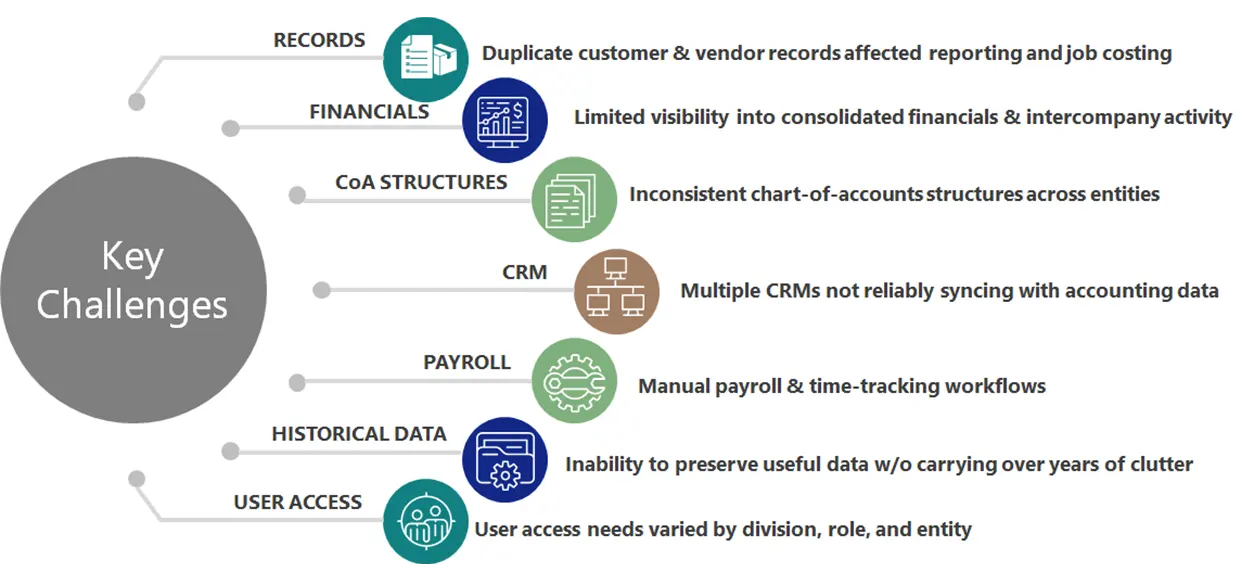
The core issue wasn’t just scale – it was fragmentation across systems. Each of the five entities operated in its own QuickBooks Desktop file hosted on a local server. This created a highly manual and disconnected workflow:
- Frequent login switching between company files
- Repetitive data entry across entities
- Manual intercompany reconciliations
- No clean connection between operational systems and financial data

As the business expanded, these inefficiencies intensified:
- Limited visibility across entities, jobs and service lines
- Inconsistent job costing and unreliable reporting
- Slower system performance and growing complexity
- Disconnect between operational activity and financial outcomes
The system was no longer supporting the business – it was slowing it down. Leadership needed a way to unify data, improve reporting and align operations with financial insight.
The Turning Point: Rethink, Don’t Just Migrate
Early in the engagement, a key strategic decision emerged:
- Lift and shift existing QuickBooks files for speed
- Redesign the financial architecture for scalability
A lift-and-shift approach would have preserved the same underlying issues – duplication, inconsistencies and lack of visibility. Instead, Fourlane recommended a
phased migration to Intuit Enterprise Suite, using the transition as an opportunity to fundamentally redesign how the business structured its financial data, entities and reporting.
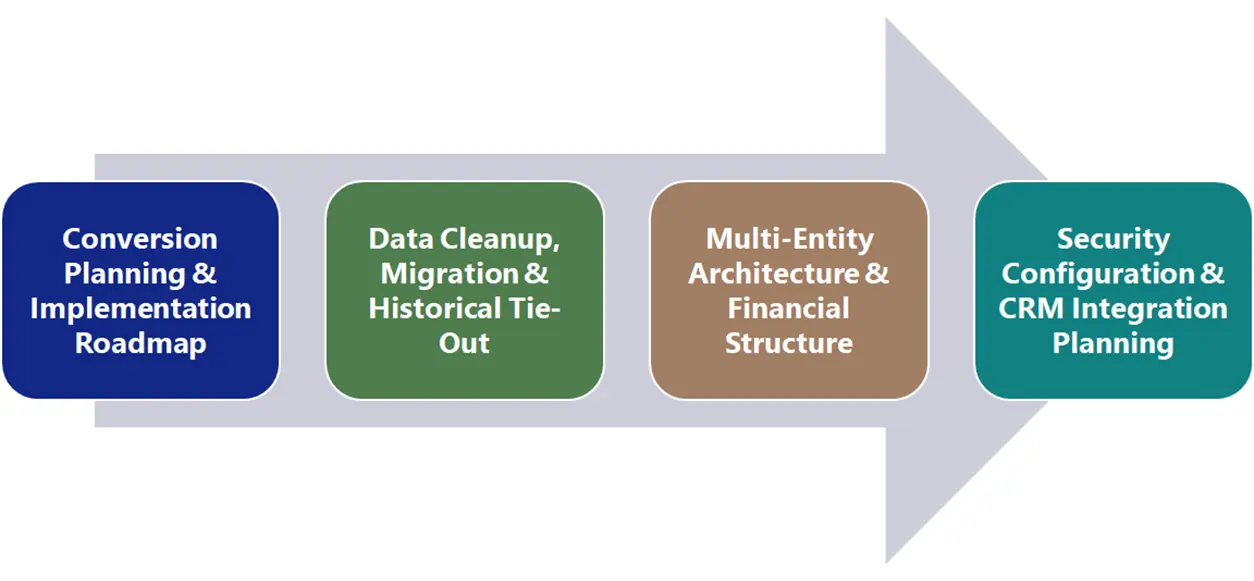
The Solution: A Structured, Phased Redesign
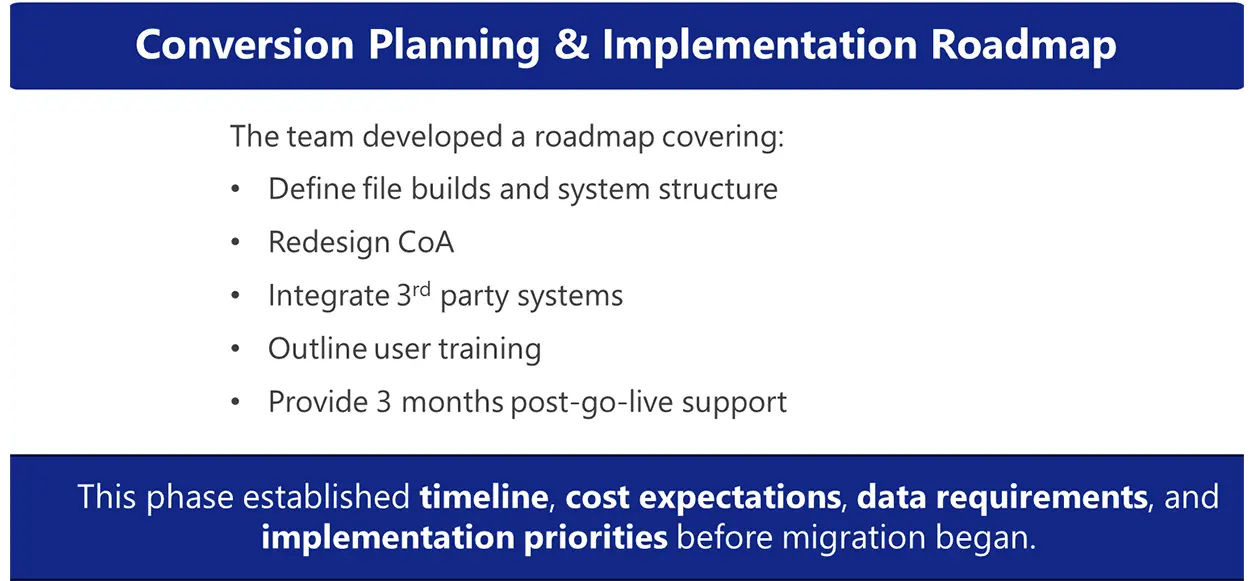
- Conversion Scope & Implementation Roadmap
Fourlane began with a structured planning phase, what we call a
conversion scope engagement. This transformed a complex initiative into a clear, executable roadmap:
- Defined entity structure and reporting framework
- Designed a new chart of accounts
- Mapped integration points with ServiceTitan
- Outlined training, timelines, costs and data requirements
- Established post-go-live support expectations
This step ensured alignment, eliminated uncertainty and gave stakeholders a clear vision of success before implementation began. - Clean Data Strategy, Migration, & Historical Tie-Out
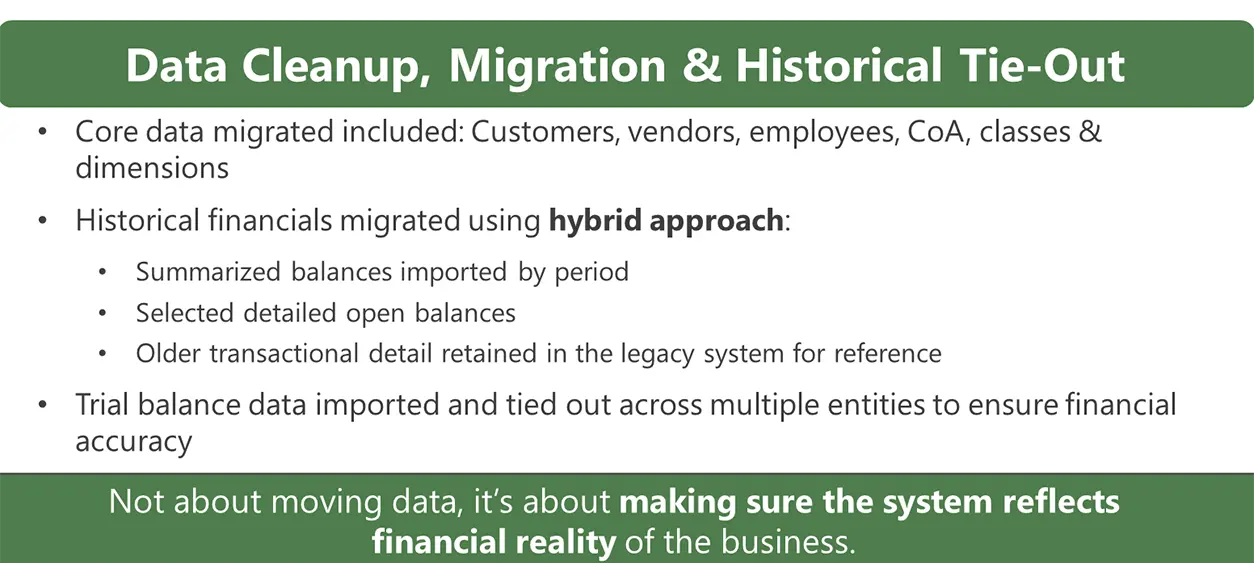
Rather than migrating years of legacy data, the company chose a
clean-start approach:
- Migrated only essential data: customers, vendors, employees and chart of accounts
- Introduced structured classes and dimensions for reporting
- Used standardized import templates to improve data quality
For historical data:
- Imported summarized balances and key open transactions
- Retained detailed legacy data for reference
All data was validated across entities to ensure accuracy and consistency – ensuring the new system reflected the true financial state of the business. - Multi-Entity Consolidation & Redesigned Financial Structure
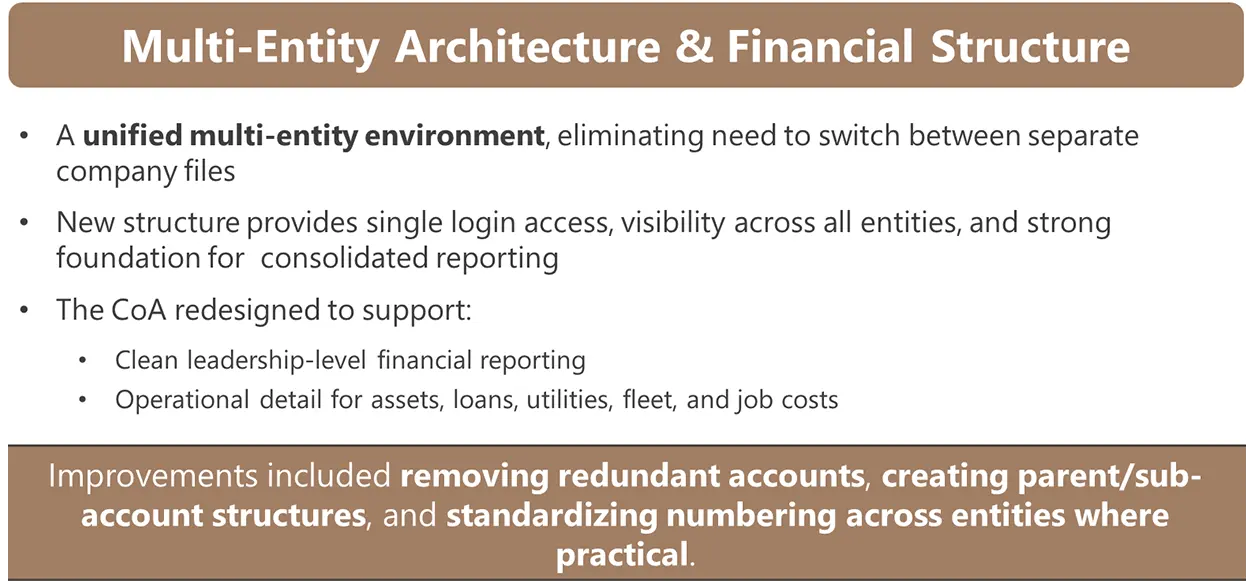
Once data was clean and validated, Fourlane unified all entities into a single system:
- One login for full organizational visibility
- Consolidated reporting across entities
- Streamlined intercompany workflows
This eliminated the need to switch between files and created a centralized financial environment aligned with how the business actually operates. The chart of accounts was rebuilt to support both leadership insight and operational reporting:
- Removed redundant and inconsistent accounts
- Introduced parent-child account structures
- Standardized categories across entities
This allowed users to:
- Start with high-level financials
- Drill down into job-level or entity-specific detail
Instead of chasing data, teams could now extract meaningful insights directly from the system. - Role-Based Access & Usability and Integration-Ready Foundation
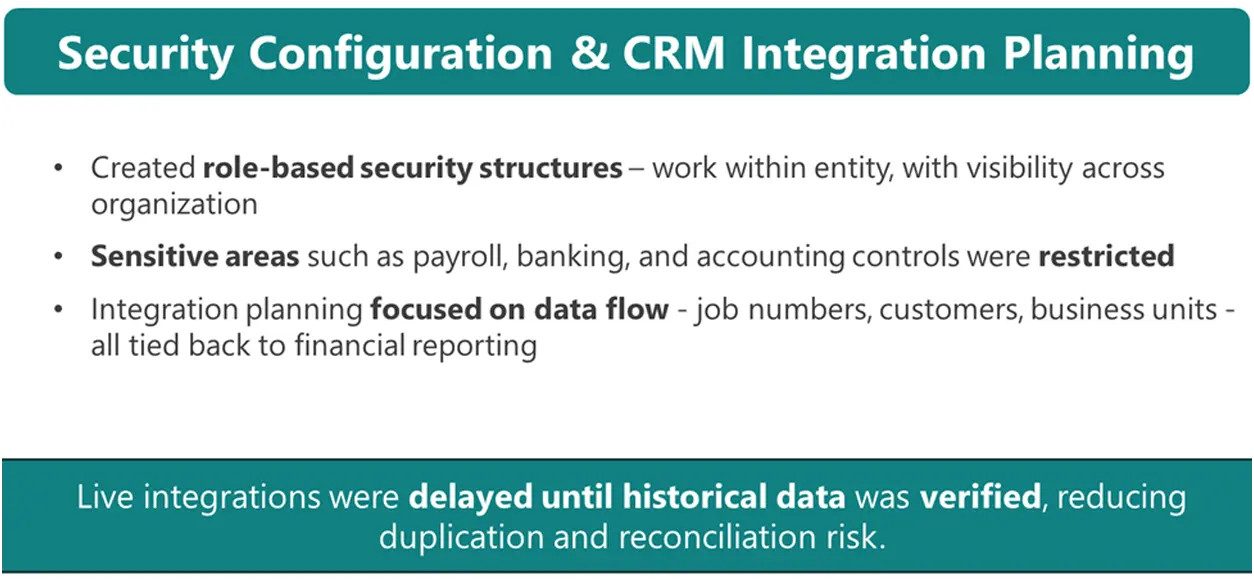
To support a team of approximately 25 users:
- Role-based permissions were implemented
- Users gained visibility across entities without exposure to sensitive data
Because operational systems like ServiceTitan were critical to the business:
- Data flows were carefully designed (jobs, customers, business units)
- Integrations were intentionally delayed until financial data was clean
This phase created the right balance between accessibility and control – improving both usability and security. This sequencing prevented duplication, reconciliation issues and downstream errors—ensuring a stable and scalable integration framework.
The Results: A Connected, Scalable Financial System
The transformation delivered immediate and long-term impact:
Improved Visibility - Real-time insight across entities, jobs and business lines
- Ability to drill from summary to transaction-level detail
Reduced Friction - Eliminated repetitive data entry and file switching
- Simplified daily workflows across finance and operations
Enhanced Security - Role-based access controls with appropriate safeguards
Stronger Data Confidence - Clean, validated financial data
- Accurate reporting without manual adjustments
Faster, More Meaningful Reporting - Streamlined P&Ls and consolidated financials
- Reduced time spent reconciling data
Scalable Foundation for Growth - Ready for integration with operational systems
- Built to support continued expansion and complexity
Conclusion
This engagement highlights a critical truth: successful migration is not about moving systems – it’s about redesigning how financial data supports the business. By prioritizing structure, clean data and a phased approach, Fourlane transformed a fragmented accounting environment into a unified, scalable platform. The result is more than a system upgrade – it’s a foundation for smarter decisions, stronger visibility and sustainable growth.
Need Help Migrating from QuickBooks Desktop to Intuit Enterprise Suite?
If your business is managing multiple entities, struggling with disconnected QuickBooks files, or spending too much time on manual reporting and intercompany reconciliations, Fourlane can help. We help growing businesses redesign their accounting systems, clean up financial data, and implement
Intuit Enterprise Suite (Intuit ERP) for better visibility, stronger reporting, and a more scalable financial foundation.
- Unify multi-entity reporting and workflows
- Improve job costing and financial visibility
- Reduce manual reconciliations and duplicate entry
- Build a cleaner system designed for growth
Talk to a Migration Expert