


If you’ve been hearing chatter that QuickBooks Desktop is “going away,” you’re not alone. Between pop-ups, clickbait videos, and rumors in user groups, the noise can feel overwhelming. But after diving deep into Intuit updates, new feature releases, and direct conversations with Intuit teams, one thing is clear: QuickBooks Desktop is still strong, still improving, and still actively supported. In fact, the latest version QuickBooks Desktop 2026 roadmap shows Intuit doubling down on core functionality that midsized companies rely on for job costing, custom fields, and advanced inventory.
In this recap of our November State of QuickBooks Desktop webinar, we break down what’s really happening, what’s new, and what you should know as you plan for the future of your business. Use this guide as your blueprint for a smooth transition into the next few years while protecting your mission-critical accounting software investment.
QuickBooks Desktop Is Not Going Anywhere
Contrary to the doom-and-gloom headlines, Intuit continues to invest in QuickBooks Desktop. There are over one million active Desktop users, and Intuit is still rolling out updates, fixes, and support – yes, even for 2024 versions of Pro and Premier. QuickBooks Desktop Support teams remain fully staffed, giving businesses confidence that desktop support resources, security patches, and feature improvements will keep flowing.
What about the “2024 is the last year” rumors?
Those stem from Intuit’s shift to a model that delivers ongoing updates without requiring a full annual reinstall—something Fourlane actually advocated for to reduce customer disruption. The shift mirrors broader industry trends toward subscription-style rollouts while keeping file size manageable and performance snappy. But this does not mean Desktop is being discontinued or that QuickBooks Desktop support is ending any time soon.
If you’ve been retraining your team or worrying about sudden forced migrations, take a breath. Desktop remains stable and supported, and Fourlane is here to help you host QuickBooks in the cloud, optimize roles permissions, or configure advanced inventory so your internal users experience a friction-free workflow.
Big Picture Intuit News: What’s Changing (and What’s Not)
- Intuit Accountant Suite is coming
Intuit is preparing to transition the previously free QuickBooks Online Accountant model into a paid suite, now enhanced with AI and task management tools. While details are still emerging, this is a major shift—and one we’ve long predicted. Firms that currently lean on service tickets or a job costing app inside Desktop should pay close attention, as the Accountant Suite could introduce new key features QuickBooks pros will love.
- Intuit Enterprise Suite vs Desktop Enterprise
This is the source of major confusion.
- QuickBooks Desktop Enterprise (the flagship on-premise/hosted solution)
- Intuit Enterprise Suite (IES)
These are not the same product. IES is built on QuickBooks Online Advanced, not Desktop. If you see a “Move to Intuit Enterprise Suite” pop-up inside Desktop, do not click it without talking to us first. IES is built for service-based, multi-entity organizations, not manufacturing, wholesale, or inventory-heavy businesses that depend on cost items, schedule values SOV, or an items database for assemblies.
- Intuit’s sales structure hints at their direction
Changes inside Intuit’s sales teams often signal strategic priorities. Recently, Intuit expanded which reps can sell QuickBooks Enterprise (Desktop), which is actually a positive sign of continued support for the product line.
What’s New in QuickBooks Desktop: Fall Release Highlights
Smarter Email Sending
Desktop now remembers which email recipients you selected previously, saving time when sending invoices, statements, and documents. This small update, combined with improved roles permissions around email templates, helps sales teams hit send faster and keep conversations moving.
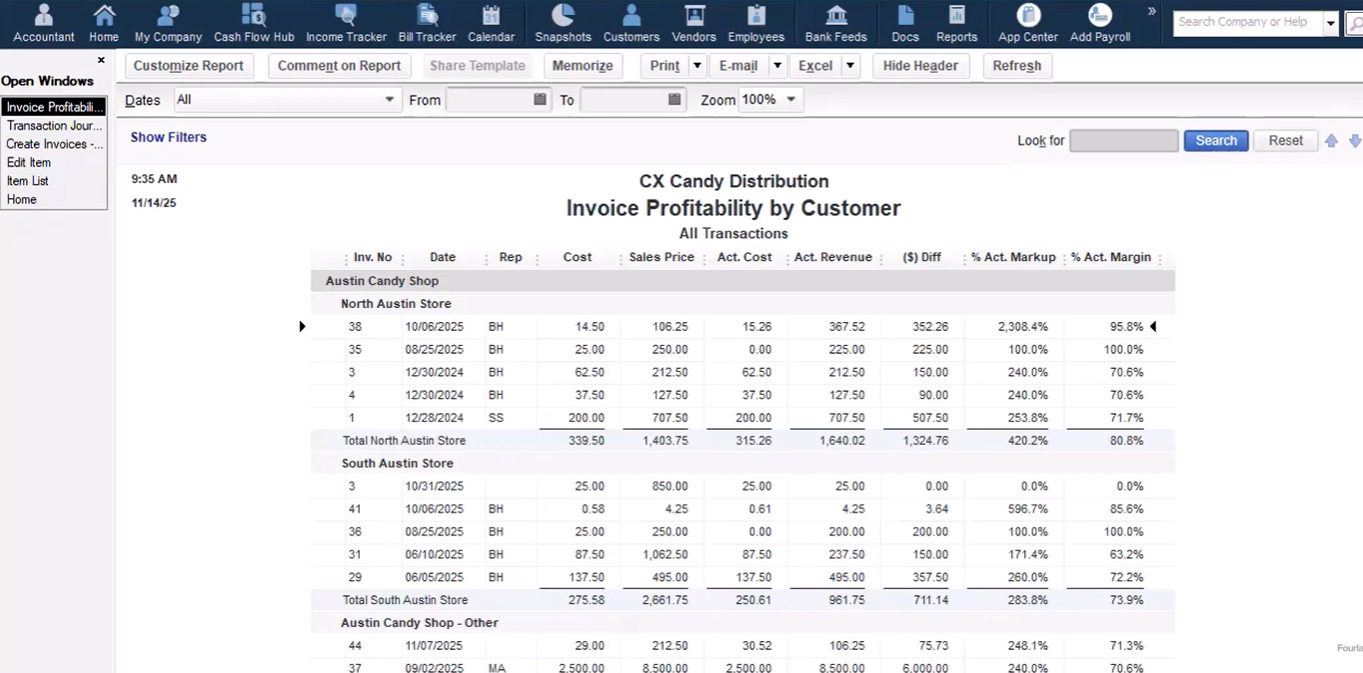
New Invoice Profitability Report
This is one of the most exciting updates. Desktop now gives you invoice-level insight into:
- Expected vs actual cost
- Expected vs actual sales price
- Profitability, margin, and markup
This report lets you quickly flag pricing issues, cost increases, and low-margin jobs, without creating workaround “job per invoice” structures. Users can also drill into cost items database entries, making inventory management reporting faster and more actionable than ever.
Fourlane CX: Making Desktop Faster for Your Whole Team
Most performance complaints aren’t from accountants, they’re from sales, operations, and support staff who don’t want to wait for Desktop to load just to check an invoice. That’s where Fourlane CX shines. By leveraging a lightweight web layer, we allow non-accounting teams to enter time cards, review service tickets, and approve cost codes while QuickBooks Desktop quietly syncs in the background.
New CX features include:
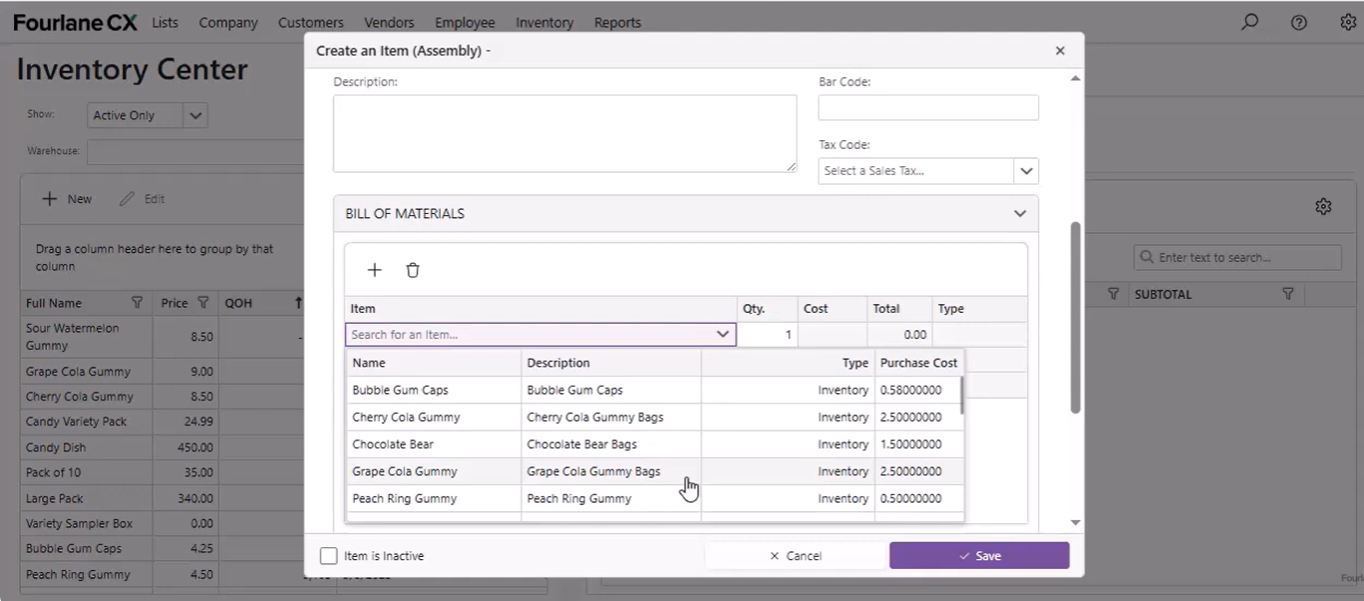
- Assembly item creation to streamline advanced inventory workflows
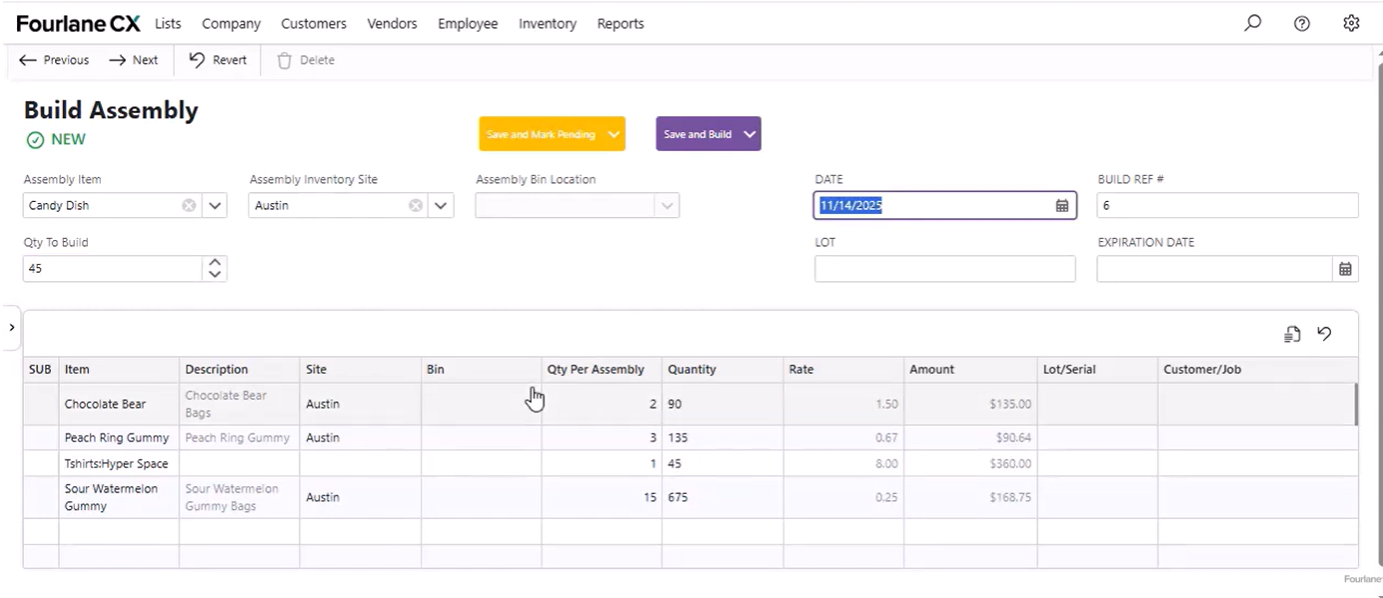
- Build Assemblies (synced into Desktop via safer $0 “work order” bills to prevent data corruption)
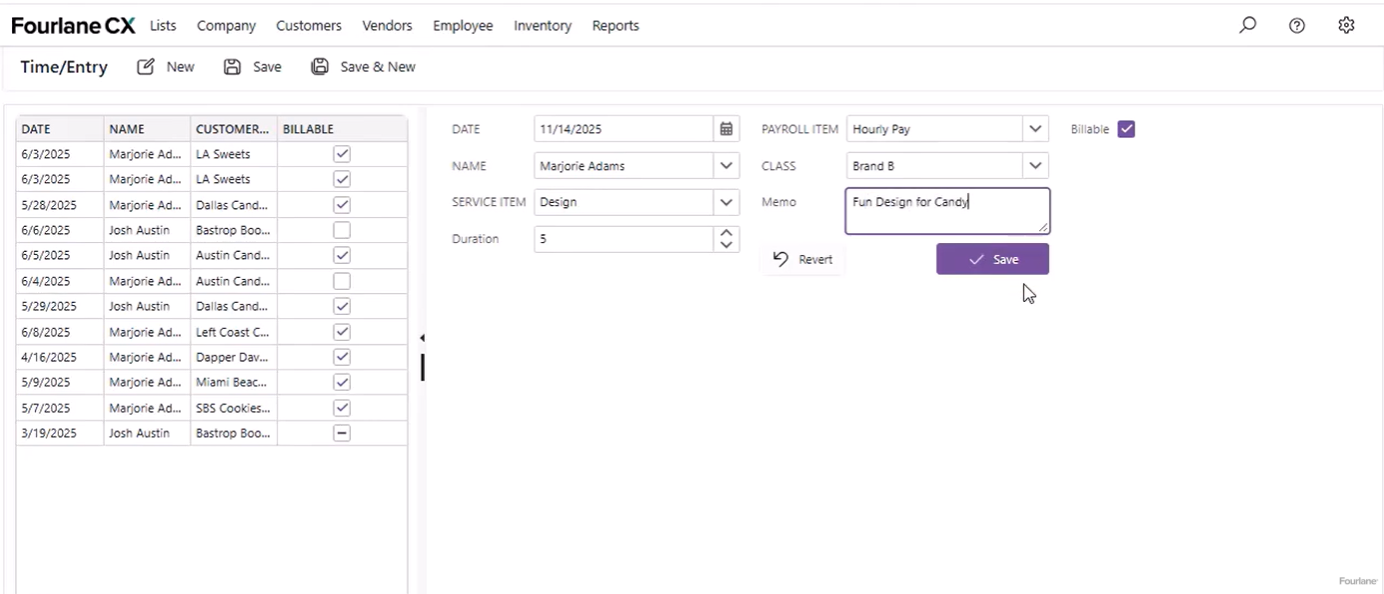
- Daily & weekly timecard entry for job costing and payroll accuracy
- Archiving estimates, sales orders, and purchase orders to keep Desktop files faster and more stable
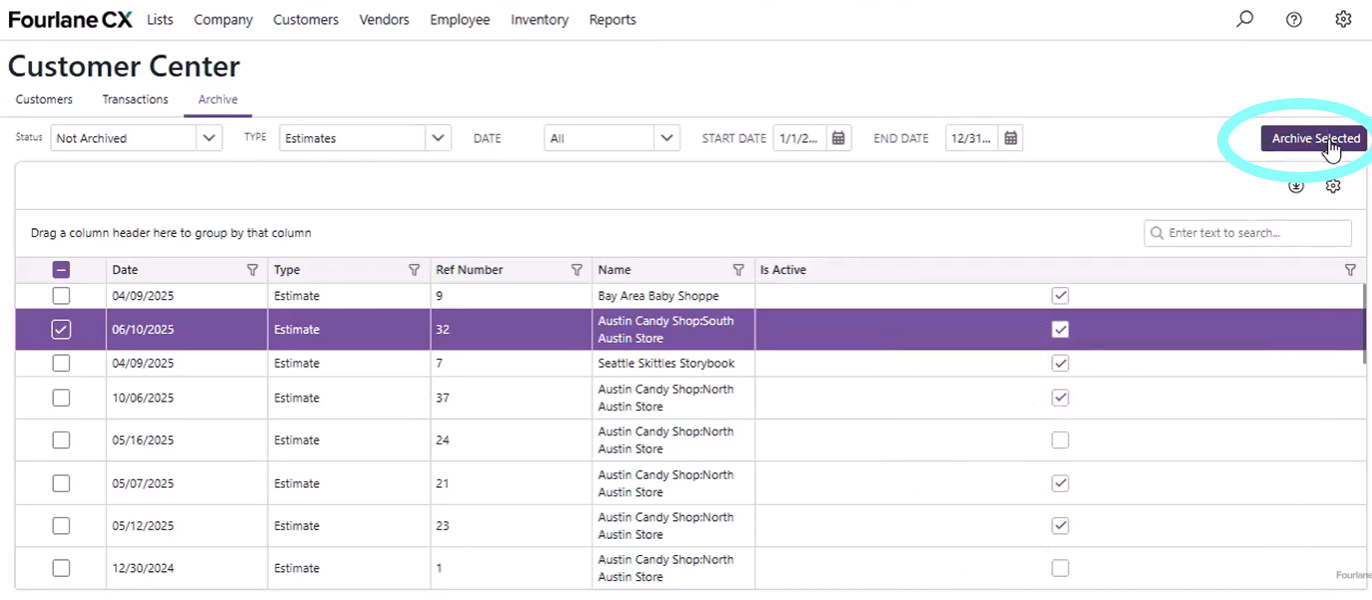
CX gives non-accounting users a fast, web-based interface that syncs directly with Desktop, solving speed complaints without forcing a platform change.
Should You Move to Intuit Enterprise Suite?
For many Desktop users, the answer is: Not yet. And maybe not ever. While Intuit Enterprise Suite is appealing, QuickBooks Desktop Enterprise still delivers the depth of features power users need, especially around advanced inventory, basic schedule values, and job costing.
IES is best suited for:
- Multi-entity service firms
- Multi-location businesses
- Light construction
- Restaurants with centralized management
- Family offices with intercompany needs
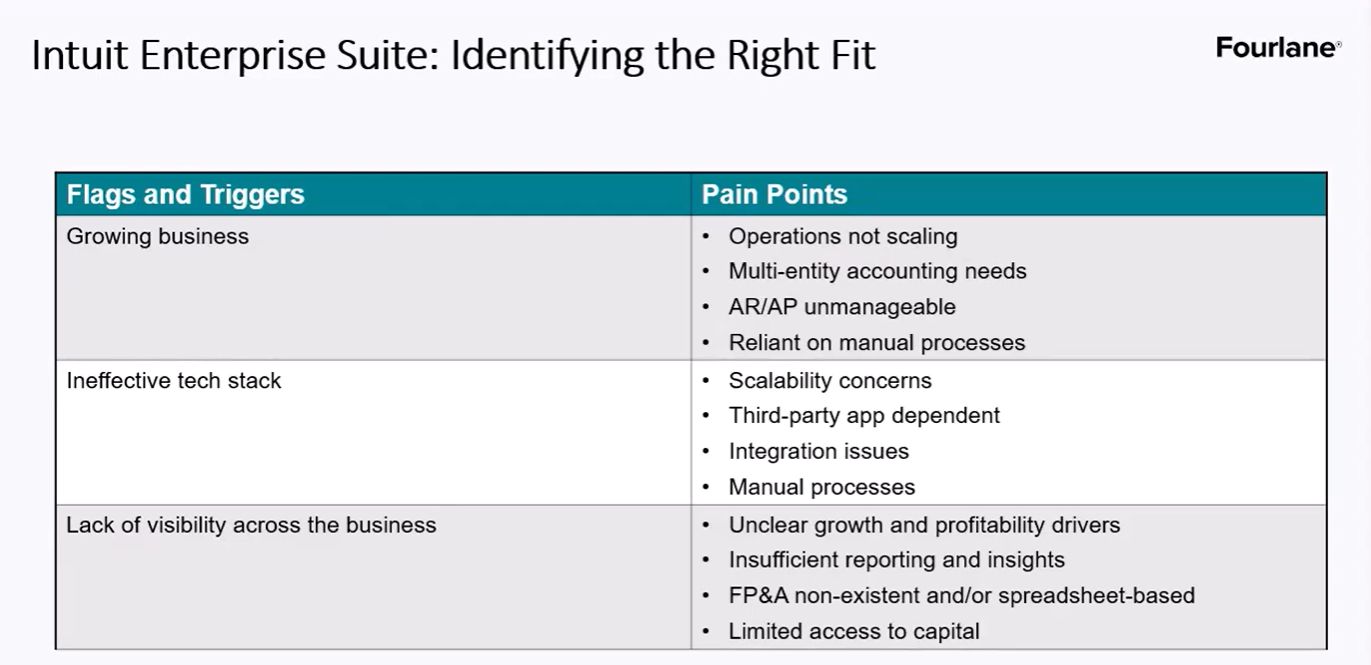
Where IES is not ready:
- Manufacturing & wholesale
- Inventory-heavy businesses
- Businesses needing average cost, assemblies, sales order workflows
The product is improving, but it’s still missing critical Desktop features used by most growing product-based companies.
IES Features Worth Knowing About
Even if it’s not right for you today, here are standout features in Intuit Enterprise Suite:
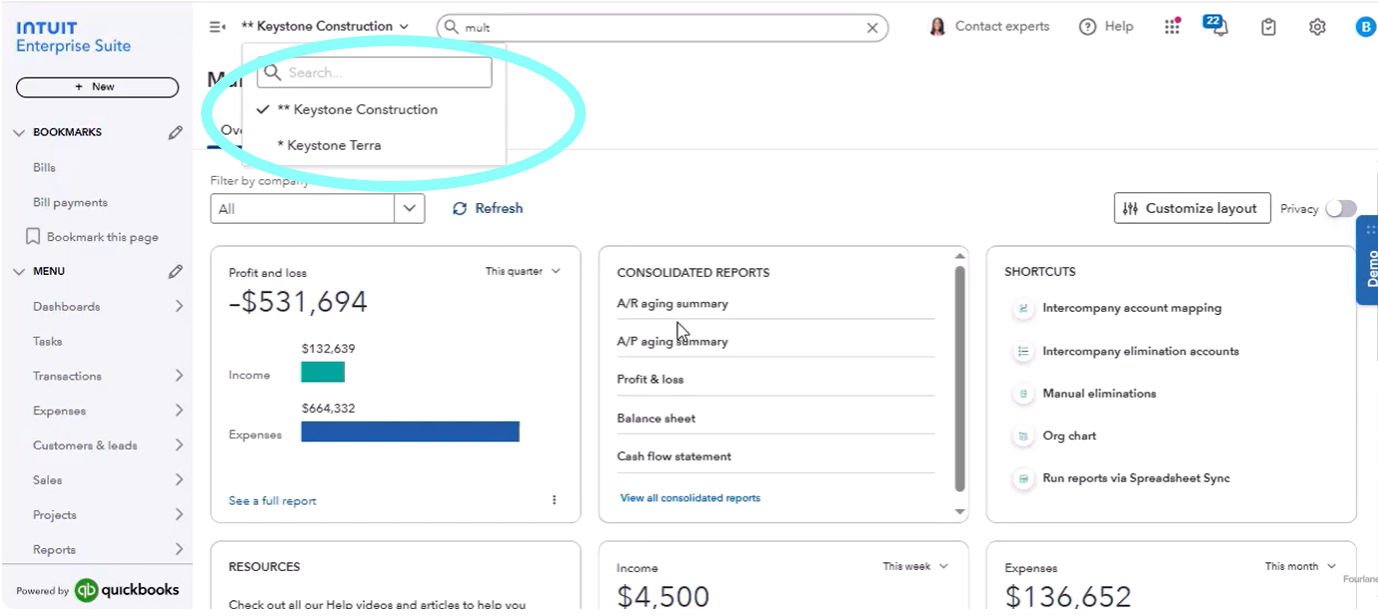
- Multi-company switching: Jump between entities instantly – no logging out and back in.
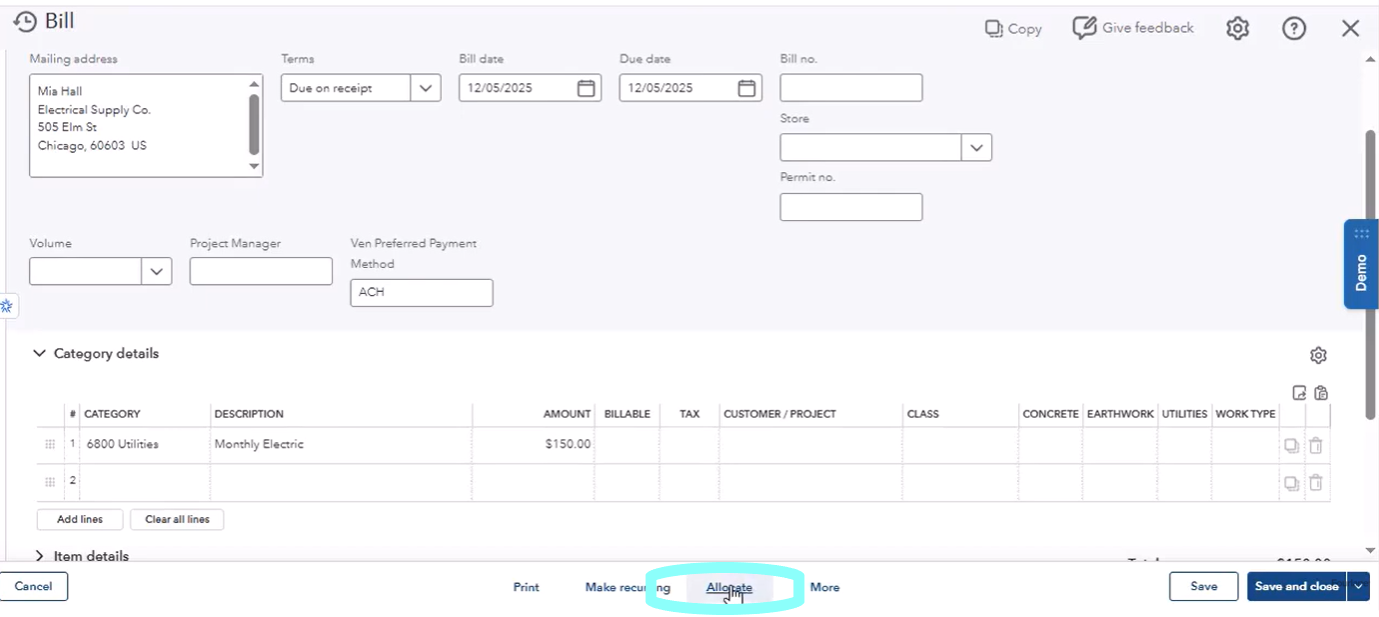
- Intercompany allocations: Allocate bills and journal entries across companies in a few clicks. Ideal for family offices or multi-location brands managing shared expenses.
- Consolidated reporting with eliminations: P&L, Balance Sheet, AR, AP, and more – across entities – with optional elimination columns. A major boost for CFOs who currently juggle Excel workbooks.
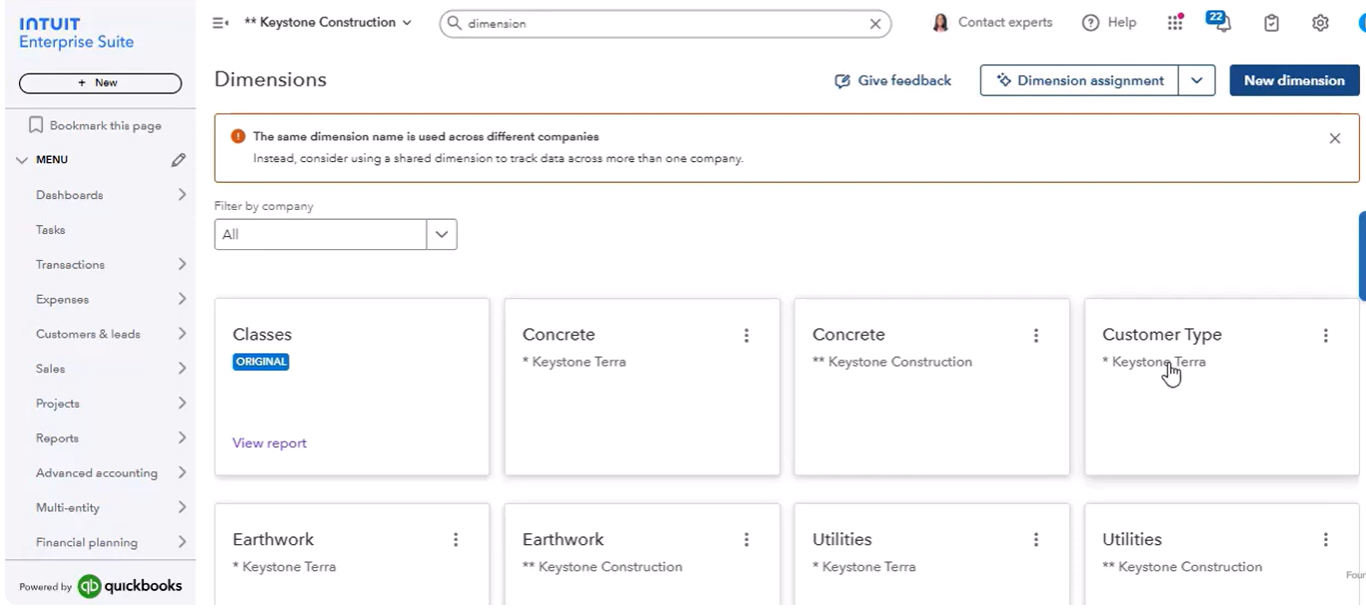
- Dimensions (multiple class-like lists): For complex reporting, you can use:
- Class
- Department
- Cost codes
- Locations
- Product lines
- And more
This keeps your chart of accounts clean while giving you deep reporting power. Future releases are expected to introduce inventory management reporting, roles permissions by dimension, and the ability to tag custom fields for even richer analytics.
So, What’s the Bottom Line for QuickBooks Desktop Users?
Here’s the verdict from the latest research, updates, and conversations with Intuit:
- QuickBooks Desktop is stable and supported through 2026 and beyond.
- New features continue to roll out, not disappear.
- Fourlane CX can dramatically improve performance without leaving Desktop.
- Intuit Enterprise Suite is promising – but not a Desktop replacement yet, especially for companies that lean on advanced cost items or job costing app workflows.
- You have options – and no one is forcing a conversion anytime soon.
Before you consider migrating or clicking in-product promotions, talk to us. The right path depends entirely on your industry, your workflows, and your long-term needs. Whether you need QuickBooks desktop support, guidance on QuickBooks enterprise pricing tiers like Enterprise Diamond, or advice on how to integrate 3rd party applications, Fourlane’s experts are here to ensure your software solution keeps pace with growth.
