

Managing sales tax in QuickBooks can quickly become overwhelming as your business grows. What starts as a simple setup often turns into a complex web of tax rates, changing regulations, and multi-state compliance requirements.
If your team is spending hours updating tax tables or worrying about compliance, you’re not alone. In this guide, we’ll break down why sales tax management in QuickBooks is so challenging – and how automation with Avalara can simplify the process, reduce risk, and save time.
Why Sales Tax in QuickBooks Becomes So Complex
Sales tax is constantly evolving, making it one of the most difficult aspects of accounting to manage manually.
Here’s why:
- Frequent tax rate changes: Thousands of state and local tax updates occur every year
- Different rules by state: Each state has unique tax laws, thresholds, and filing requirements
- Product taxability variations: Goods, services, and shipping may be taxed differently depending on location
- Business growth: Expanding into new states increases compliance obligations

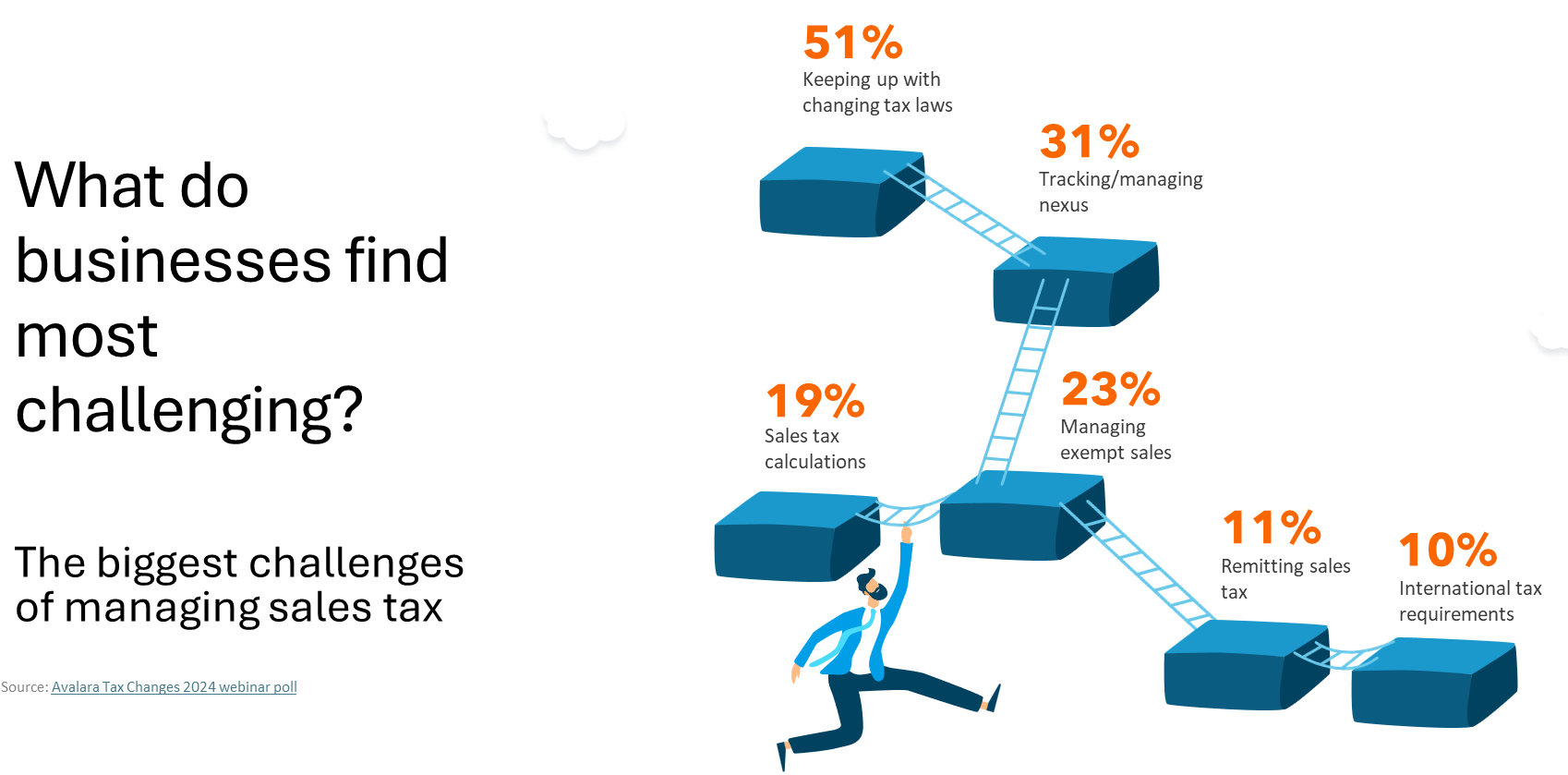
With over 40 states collecting sales tax and thousands of jurisdictions layered on top, relying on static tax tables in QuickBooks increases the risk of errors.
What Is Sales Tax Nexus (And Why It Matters)?
One of the most important concepts in sales tax compliance is nexus – your obligation to collect and remit tax in a state.
You may create nexus if you:
- Hire employees in another state
- Store inventory in warehouses or fulfillment centers
- Send employees or contractors across state lines
- Exceed economic thresholds (typically $100,000 in sales or 200 transactions annually)
Since the Wayfair decision, even businesses without a physical presence can be required to collect sales tax.
Why Nexus Is Critical
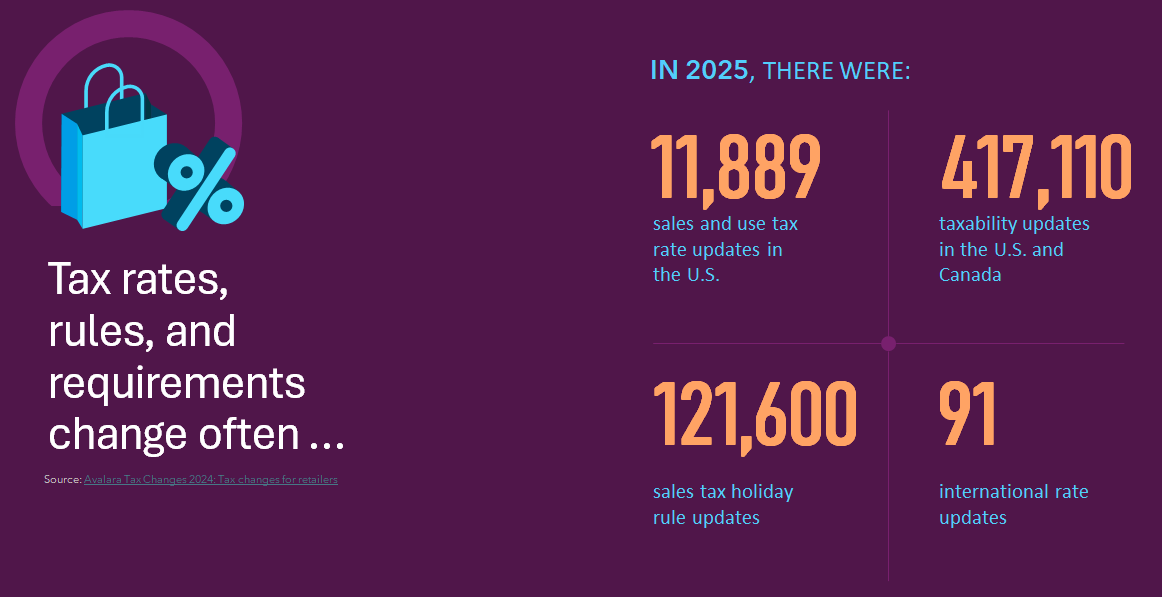
Failing to identify nexus can lead to:
- Back taxes
- Penalties and interest
- Increased audit risk
Understanding where you have nexus is the foundation of accurate sales tax reporting in QuickBooks.
Common Sales Tax Challenges in QuickBooks
While QuickBooks Desktop provides basic sales tax functionality, it relies heavily on manual processes.
Common issues include:
- Manually updating tax rates for each customer
- Tracking taxability rules across states
- Managing exemption certificates and renewals
- Preparing and filing sales tax returns
As your business grows, these tasks multiply – making manual sales tax management inefficient and error-prone.
Why Manual Sales Tax Management Increases Risk
Sales tax isn’t just about applying a percentage – it depends on multiple variables:
- Location-Based Rules
- Origin vs. destination-based sourcing
- State, county, and city tax layers
- Product Taxability
- Tangible goods vs. services
- Shipping and handling rules
- Regulatory Changes
- Tax holidays
- Rate increases
- New compliance requirements
For example, shipping may be taxable in one state and exempt in another. Without automation, keeping track of these rules inside QuickBooks is extremely difficult.
How Avalara Automates Sales Tax in QuickBooks
Integrating QuickBooks with Avalara AvaTax eliminates manual work and improves accuracy.
Key Benefits of Sales Tax Automation
- Real-Time Tax Calculations Avalara calculates accurate tax rates instantly based on location, product, and current regulations.
- Nexus Tracking and Alerts: Monitor when you approach or exceed economic thresholds in each state.
- Exemption Certificate Management: Store, validate, and track certificates to ensure audit readiness.
- Automated Filing and Remittance: Prepare and file returns automatically – no spreadsheets or manual submissions required.
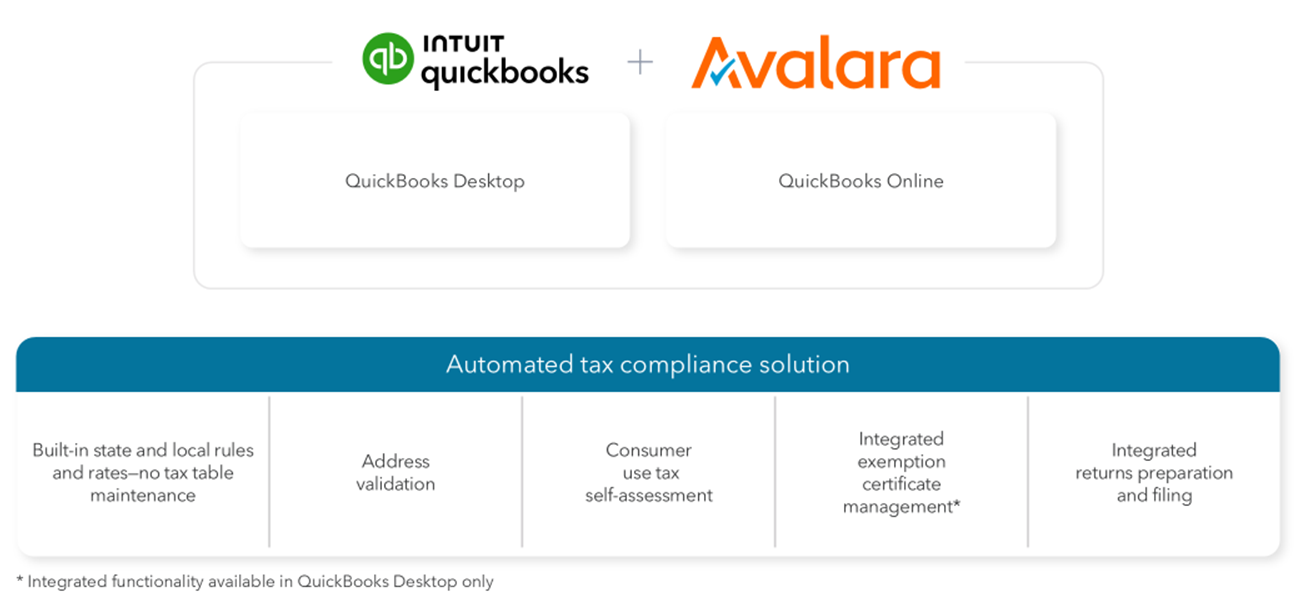
When you create an invoice in QuickBooks, Avalara:
- Pulls transaction data
- Calculates the correct tax in real time
- Returns the result instantly
This ensures every transaction is accurate and compliant.
Signs You Need Sales Tax Automation
If you’re experiencing any of the following, it may be time to automate:
- Spending hours updating tax rates
- Unsure where you have nexus
- Struggling to manage exemption certificates
- Relying on spreadsheets for tax filing
These are clear indicators that your current process won’t scale.
Benefits of Automating Sales Tax in QuickBooks
By implementing sales tax automation software, businesses can:
- Reduce compliance risk
- Eliminate manual data entry
- Stay up to date with tax law changes
- Improve accuracy across transactions
- Scale into new markets with confidence
Automation transforms sales tax from a reactive burden into a streamlined, reliable process.
Final Thoughts: Simplify Sales Tax and Focus on Growth
Sales tax complexity isn’t going away – but managing it manually doesn’t have to be your reality.
By integrating QuickBooks with Avalara, you can:
- Automate calculations and filings
- Maintain compliance across multiple states
- Free up your finance team for higher-value work
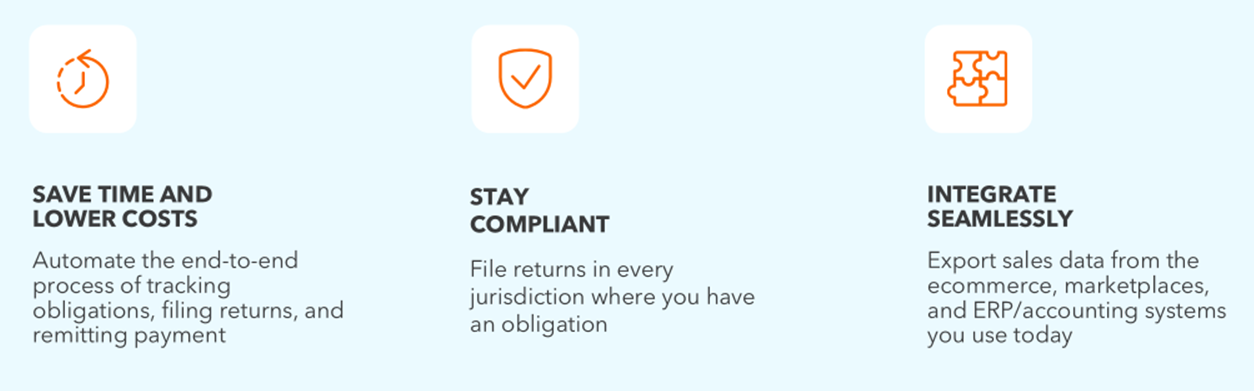
At Fourlane, we help businesses implement QuickBooks sales tax automation solutions that reduce risk and improve efficiency.
Ready to simplify your sales tax process?
Contact us today to explore how automation can help you stay compliant, save time, and scale your business with confidence.